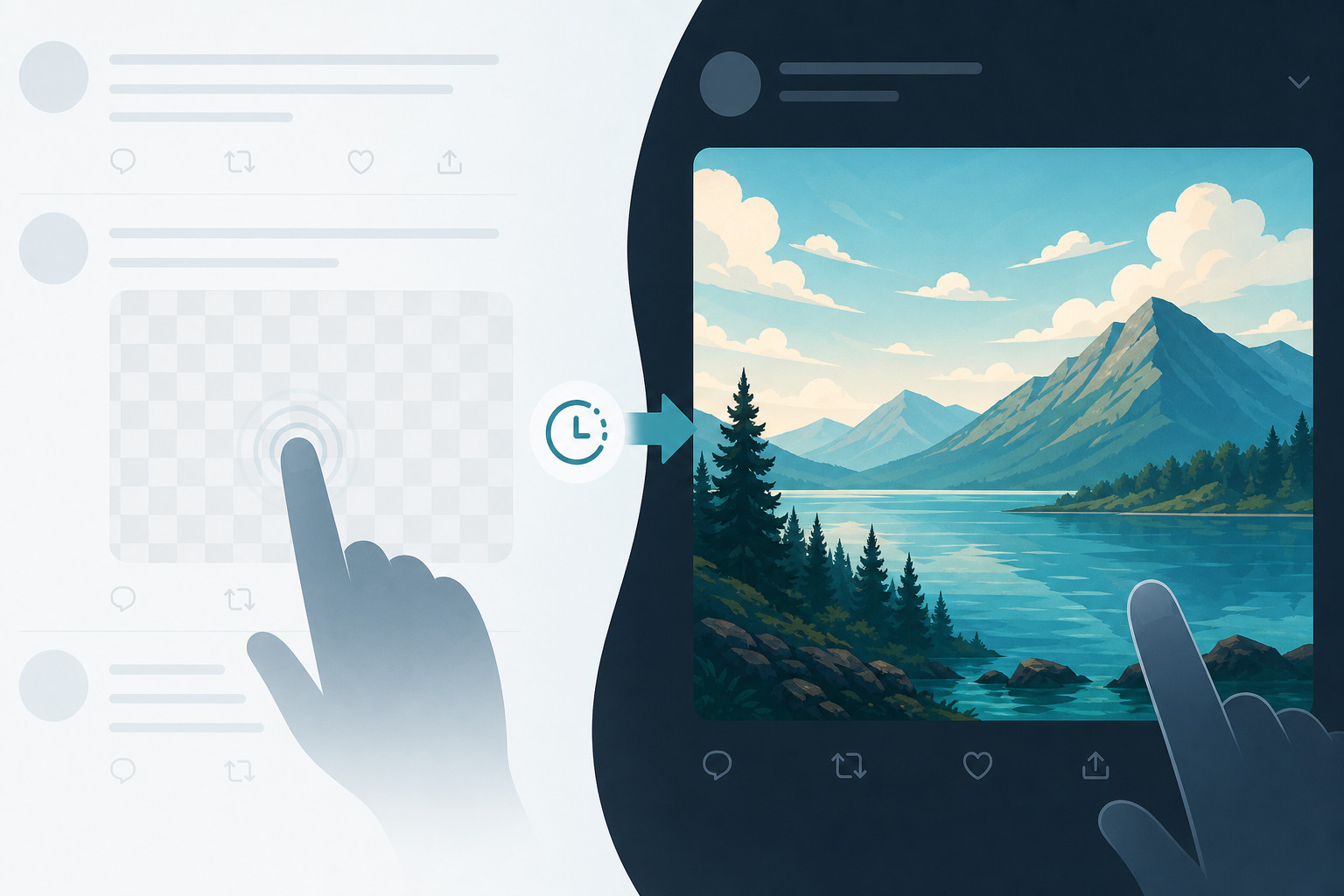
The tap and hold trend (長押しで変化 in Japanese) hides a second look inside one PNG. X shows a flattened JPEG preview in the timeline, then loads the original transparent file when someone opens the image and presses and holds. You can build that file in about a minute with our free Tap and Hold Image Maker: no Photoshop, and nothing you upload leaves your browser.
How the trick works
X shows a compressed JPEG preview of your image in the timeline. JPEG has no transparency, so X flattens the picture onto a white (or light) background. Only the parts designed for that white view stay readable.
When a viewer opens the image and presses and holds (Load in 4K on iOS, Save 4K image on Android), X loads the original PNG with its alpha channel intact. Against the dark viewer background, the hidden picture appears. On desktop, opening the image usually loads the original right away.
Our maker keeps your artwork colours and turns half the pixels in hidden areas fully transparent in a fine checkerboard. That is the same technique behind many viral Japanese posts. Blended with white in the timeline, the area fades to a faint ghost. Blended with black in the hold viewer, it reappears.
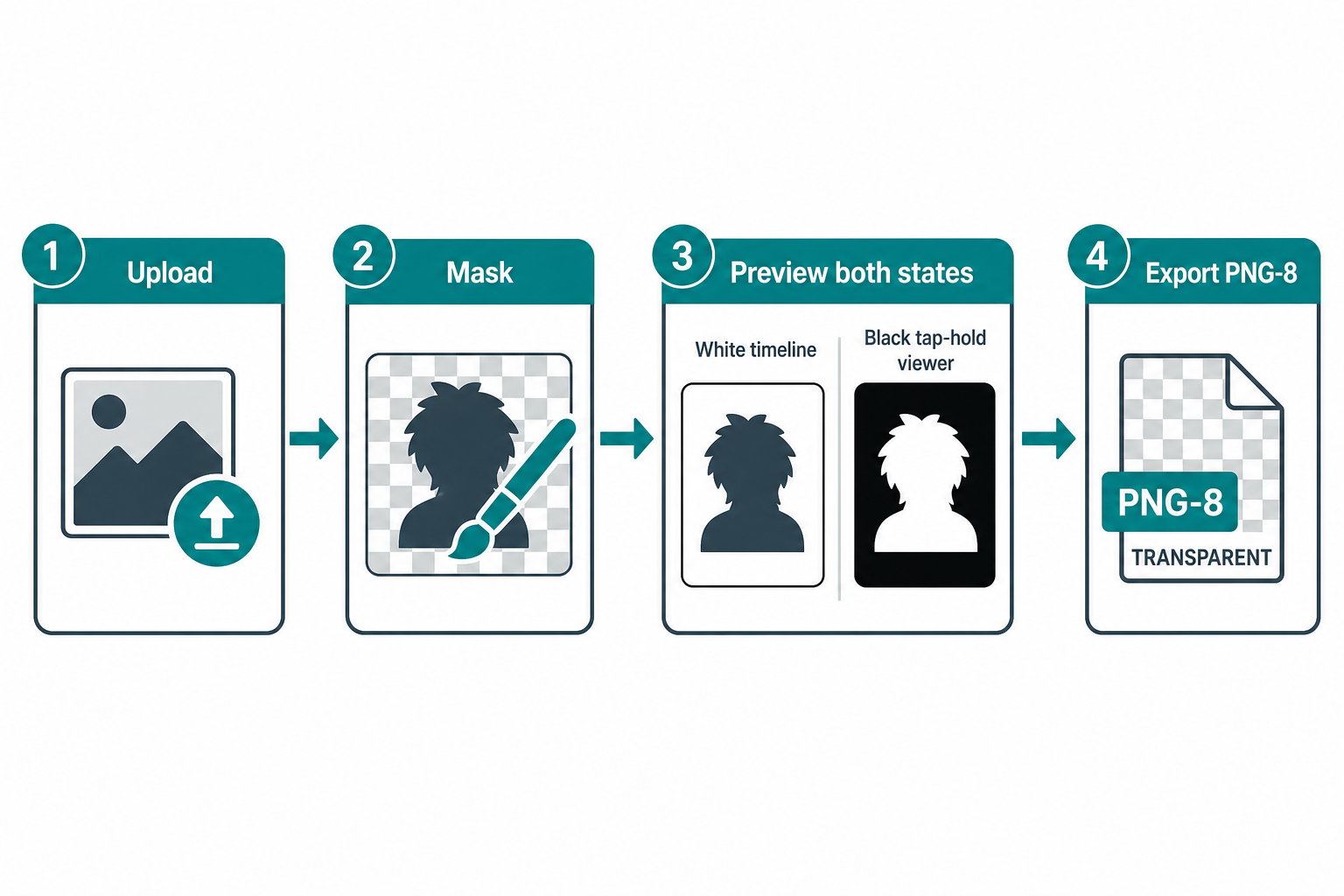
Figure 1: Timeline JPEG flattens transparency onto white; hold loads the original PNG against black.
Single File
Two looks from one upload
Checkerboard Alpha
Hidden pixels alternate transparent
Safe Upload Size
Larger files get re-encoded
Hold to Load
iOS Load in 4K / Android Save 4K
Timeline (JPEG on white)
X flattens alpha onto a light background, so hidden areas wash out to a faint ghost or blank teaser.
Tap and hold (PNG on black)
The original PNG loads. Opaque checkerboard pixels composite over black and the full picture returns.
Make yours in 4 steps
Use the Tap and Hold Image Maker for the fastest path. Everything runs locally in your browser.
-
1
Pick your image
One picture is enough. Dark elements (outfits, hair, outlines) make strong teasers to leave visible in the feed.
-
2
Choose the hide mode
Keep dark parts visible recreates the classic floating-clothes teaser. Hide everything leaves an almost blank bait. Paint by hand brushes exact areas. Use the two-image swap tab when you want a completely different cover picture.
-
3
Tune hiding strength and brightness
The maker previews both states live: the white timeline view and the black hold view. Adjust until both read clearly. Turn on auto line art for a sketch-in-feed look.
-
4
Download the PNG and post
Attach the exact file the maker gives you. Do not screenshot or re-save it; that strips transparency. Caption it "tap and hold" or 長押しで変化. Prefer uploading from a desktop browser at x.com.
Tap and hold PNG vs other X image tricks
| Feature | Tap and hold PNG | Load in 4K detail | Tap the post grid |
|---|---|---|---|
| How it works | JPEG preview vs original PNG alpha | Compressed preview vs hi-res file | Tall image sliced into 2-4 tiles |
| Files to upload | 1 transparent PNG | 1 large image | 2-4 images in order |
| Viewer action | Hold → Load in 4K / Save 4K | Hold → Load in 4K | Open the multi-image post |
| Best for | Art reveals, spoilers, quizzes | Detailed photos and AI art | Tall comics, before/after stacks |
| Main risk | Re-encode strips alpha | Needs hi-res source | Wrong upload order breaks stack |
Why is my image not changing?
- You re-saved or screenshotted the PNG. Any re-save that drops the alpha channel kills the effect. Always post the exact file the maker exports.
- The file is too big. Over roughly 5 MB, X re-encodes uploads to JPEG and transparency is gone. Use smaller sources, turn off upscaling, or stay on PNG-8.
- You posted from the mobile app. iOS and Android apps often convert attachments to JPEG. Upload from a desktop browser at x.com.
- Viewers are not loading the original. Full-screen the image, then press and hold: Load in 4K (iOS) or Save 4K image (Android). On desktop, opening the image usually loads the original immediately.
- Dark timeline theme. Pure white/black tricks assume a light feed background. Preview light and dark themes in the maker before you post.
Popular ways creators use the effect
- Floating-clothes teasers: leave dark outfits and outlines in the feed, reveal the full figure on hold.
- Art reveals: line art or rough sketch in the feed, finished colour on hold (classic 長押しで変化 style).
- Punchlines and quizzes: set up the joke or question in text, hide the payoff in the image.
- Spoiler covers: match scores, episode stills, or plot screenshots that should not flash while scrolling.
- Two-image swaps: sketch cover plus finished piece, or question plus answer, as separate source files.
Related free image tools
- Tap and Hold Image Maker - build and preview the checkerboard PNG reveal in your browser.
- Image Resizer - set dimensions before you hide the image.
- Crop Image - tighten the frame for X card ratios.
- Image Compressor - shrink oversized exports toward the 5 MB safety zone.
- View Transparent Image Regions - inspect alpha after export.
- Twitter Share Link Generator - build a share URL once the post is live.
Frequently Asked Questions
Do I need X Premium for this?
No. Anyone can post a tap and hold image. The trick uses X's normal image pipeline, not a paid feature.
Is this the same as the "tap the post" trend?
No. "Tap the post" splits one tall image into strips that assemble when opened. "Tap and hold" hides a second look inside one PNG using transparency. It is the newer trend that grew quickly through mid-2026 on Japanese and global art X.
Is this the same as "tap, hold and load in 4K"?
Related, but not identical. "Load in 4K" is the mobile action that fetches the original hi-res file. Some posts only use that for sharper detail. Transparent PNG tap and hold posts use the same hold action so the original alpha PNG loads against a dark background.
Can I use any two pictures?
Yes, but contrast matters. The cover should read as a light image and the hidden one as a darker or more detailed payoff. The maker compresses both into safe ranges and shows a live preview of each state.
Why export PNG-8 instead of a normal PNG?
PNG-8 (indexed colour with transparency) produces a much smaller file at the same pixel size. Smaller files are less likely to hit X's re-encode path that flattens alpha. Switch to PNG-32 only if you see banding and the file is still under about 5 MB.
Are my images uploaded to a server when I use the maker?
No. Masking, checkerboard encoding, and PNG export run in your browser. Your pictures never leave your device.
Ready to try it? Open the maker, preview the timeline and hold states side by side, download the PNG, and post the exact file from desktop so the reveal survives.


