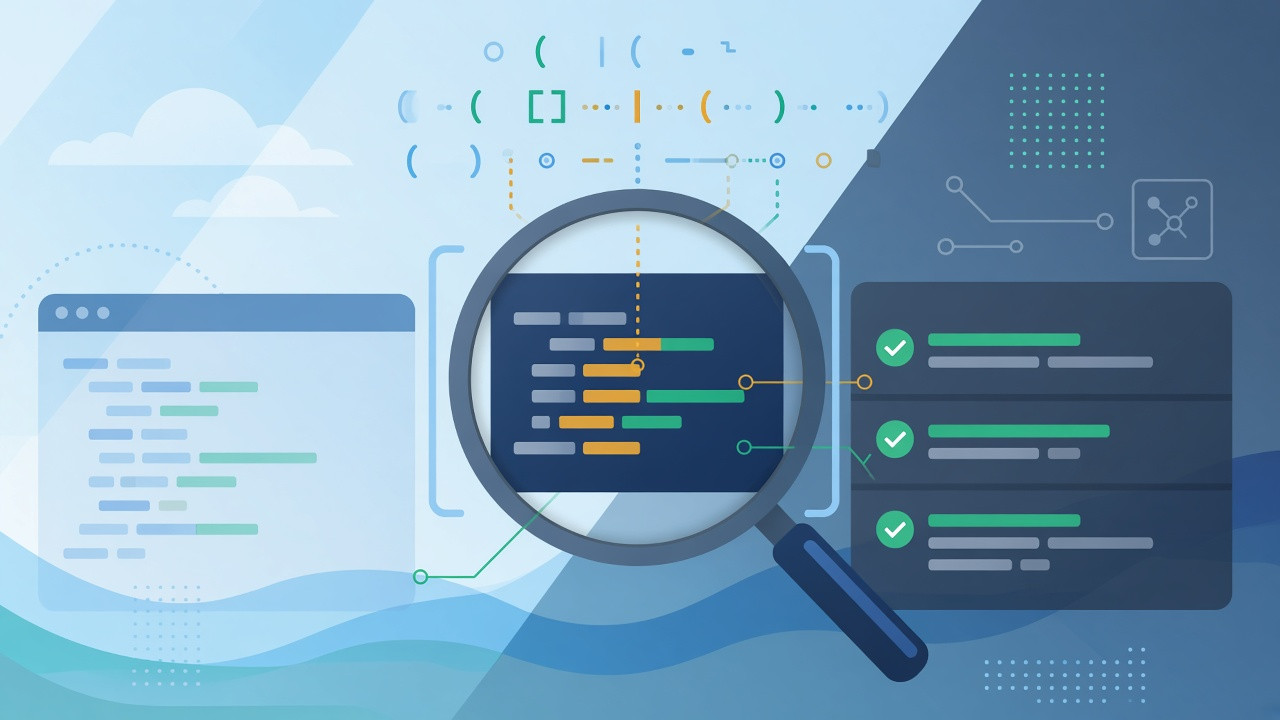
A regex tester online lets you type a regular expression pattern, paste sample text, and see every match highlighted in real time without running your application. Regular expressions (regex) are compact search patterns used in JavaScript, Python, Java, PHP, log parsers, form validators, and data pipelines. Because a tiny syntax error or a wrong flag can change behavior completely, developers rely on interactive testers before shipping code. This guide explains what regex is, how JavaScript's engine differs from PCRE and Python, what each flag does, a step-by-step debugging workflow, common mistakes (including ReDoS), privacy on browser-based tools, and how to use the free Regex Tester on OnlineMiniTools.
JS Flags
Match Highlights
Capture Groups
In Browser
Key facts: regex tester online (quick reference)
Use this block when you need a direct answer for search, chatbots, or AI summaries:
- What it is: An interactive editor where you enter a regex pattern and test string, then inspect matches, positions, numbered captures (
$1,$2), and named groups ((?<name>...)). - Why use it online: Faster than redeploying code or writing throwaway scripts; ideal for log samples, validation rules, and refactoring legacy patterns.
- OnlineMiniTools engine: The Regex Tester uses the same JavaScript
RegExpengine as Chrome, Firefox, Safari, and Node.js. Test here when your production code is JavaScript or TypeScript. - Flags supported in the tool:
g(global, all matches),i(ignore case),m(multiline^/$),s(dotall,.matches newlines),u(Unicode code points). Inline modifiers such as(?i:...)are also parsed when your browser supports them. - Output panels: Match count, yellow highlighted text, a table with start index and capture/group offsets, optional auto-generated sample text that matches your pattern, file upload for large test strings.
- Privacy: Matching runs entirely in your browser tab. Patterns and sample text are not uploaded for testing.
- Not a substitute for: PCRE-only features in PHP, Python
requirks, or Go's RE2 syntax. Always re-test in the target language when you leave JavaScript. - Safer patterns: Avoid catastrophic backtracking on untrusted input; prefer bounded quantifiers and use our Regex Explainer when you need a plain-language token breakdown.
What is a regular expression?
A regular expression is a sequence of characters that describes a set of strings. Instead of searching for the literal word error, you might search for ERROR|WARN followed by digits, or for email-shaped tokens in a CSV export. Regex combines literals (letters and digits), metacharacters (such as ., *, +, ?), character classes ([a-z]), anchors (^, $), alternation (|), grouping, and lookaround assertions.
Teams reach for a regex tester when they need to:
- Validate user input: Phone numbers, postal codes, slug formats, and invoice IDs before saving to a database.
- Parse logs and events: Extract timestamps, trace IDs, and HTTP status codes from unstructured lines.
- Refactor search-and-replace: Confirm a new pattern still matches legacy rows in a fixture file.
- Learn syntax: See how quantifiers and groups change what gets captured.
- Document APIs: Pair a tested pattern with examples in OpenAPI or internal runbooks.
Regex flavors: why your pattern works in one language but not another
There is no single global regex standard. ECMAScript (JavaScript) powers browsers and Node.js. PCRE2 backs PHP's preg_* functions and many other tools. Python's re module follows its own documentation. Go uses RE2 syntax with linear-time guarantees. An online tester is only authoritative for the engine it runs. If PHP production uses PCRE, a JavaScript-only tester might accept lookbehind or Unicode properties differently.
| Concern | JavaScript (our tester) | PCRE / PHP | Python re |
|---|---|---|---|
| Named groups | (?<id>\d+) |
Similar; verify flags | (?P<id>\d+) in verbose patterns |
| Lookbehind | Fixed-width in modern engines | Broad support | Fixed-width lookbehind |
| Word boundary | \b |
\b |
\b (ASCII-centric; use re.ASCII or Unicode rules) |
| Default for web apps | Front-end validation, Node services | Laravel, WordPress plugins | Data scripts, Django |
| When to re-test | Before shipping non-JS code | Copy pattern to PCRE tester | Run re.findall on fixtures |
Regex flags explained (g, i, m, s, u)
Flags change how the engine interprets your pattern. The OnlineMiniTools tester exposes the same toggles you use in JavaScript source (for example /pattern/gim).
g(global): Find every match in the string. Withoutg,RegExp.prototype.execstops after the first match. Turngoff when you only care about the first email in a paragraph.i(ignore case): Makes letter matching case-insensitive. Useful for hostnames and hex colors mixed with uppercase.m(multiline):^and$match the start and end of each line, not only the whole string. Essential for multi-line config files.s(dotall): Lets.match newline characters. Withouts, a dot cannot cross line breaks.u(Unicode): Treats the pattern as Unicode code points and enables\p{...}property escapes in supporting browsers.
Worked example: order IDs with named capture
Pattern (JavaScript):
\bORD-(?<id>[0-9]{4})\bTest string:
ORD-0042 pending
ORD-0187 sent
ORD-42 invalid
XORD-0001 invalid
With flag g enabled, the first two lines match. The third line has only two digits after the hyphen. The fourth line fails the word boundary before ORD. Named group id captures 0042 and 0187 separately. This workflow mirrors how regex101 teaches first-time testing: pick a flavor, set flags, paste fixtures, read capture tables.
How to test regex online (method comparison)
| Method | Best for | Trade-off |
|---|---|---|
| Online Regex Tester (browser) | Instant feedback, highlights, sharing screen recordings | Engine must match production |
| Node / browser console | Quick one-liner: /pat/g.test(str) |
No capture table; manual exec loop |
grep -P / rg |
Searching files on disk | Not the same as JS lookbehind rules |
| Unit tests with fixtures | CI regression safety | Slower iteration than a tester UI |
| IDE plugins | Daily coding in VS Code or JetBrains | Requires install and project context |
Method 1: OnlineMiniTools Regex Tester (step by step)
- Open the Regex Tester. The left column holds your pattern and flags; the right column shows results.
- Enter the pattern without surrounding slashes (type
\d{3}-\d{2}-\d{4}, not/\d{3}-\d{2}-\d{4}/). Syntax errors appear in a red banner with the engine message. - Toggle flags: enable
gto list all matches; addi,m,s, oruas needed. - Paste or type test text in Test Text. Use the file upload control for larger logs. Sample data loads from the field's sample button if you want a starting point.
- Read Match Results for the total count. Review Highlighted Text for visual confirmation.
- Expand the table rows to see each match's start index, full match value, numbered captures (
$1,$2), and named groups with[start-end]offsets. - When the pattern is valid but you lack sample data, check Sample Matching Text for an auto-generated string that satisfies the pattern (helpful for edge-case brainstorming).
- Copy the final pattern into your codebase as a literal (
/.../flags) or string (remember to double backslashes in JSON:\\d).
Alternative ways to debug regular expressions
JavaScript console
const re = /\b[\w.+-]+@[\w-]+\.[A-Za-z]{2,}\b/g;
const text = 'Contact [email protected] or [email protected]';
for (const m of text.matchAll(re)) {
  console.log(m.index, m[0], m.groups);
}
Python 3
import re
pat = re.compile(r"ORD-(?P<id>\d{4})")
for m in pat.finditer("ORD-0042 pending\nORD-0187 sent"):
    print(m.group("id"))
PHP (PCRE)
preg_match_all(
    '/\bORD-(?<id>\d{4})\b/',
    $text,
    $matches,
    PREG_OFFSET_CAPTURE
);
After prototyping in the browser tester, run equivalent snippets in your deployment language and add at least one positive and one negative fixture to unit tests.
Regex building blocks (mini reference)
| Token | Meaning | Example |
|---|---|---|
| . | Any character (except newline unless s) |
a.c matches abc |
| \d \w \s | Digit, word char, whitespace | \d{4} four digits |
| *, +, ? | Quantifiers (greedy by default) | colou+r |
| (?:...) | Non-capturing group | Group without $1 pollution |
| (?=...) (?<=...) | Lookahead / lookbehind | Price before USD suffix |
| [^...] | Negated class | [^0-9]+ non-digits |
For a printable cheat sheet, open the Regex Memo tool on the same site.
Common mistakes and how to fix them
- Forgetting to escape metacharacters: A literal dot in a version string needs
\., not.. Use the Regex Escape / Unescape tool when embedding user text inside a pattern. - Double-escaping in strings: JSON and Java require
\\dwhile the tester field uses\d. Match the layer you are editing. - Global flag surprises: With
g, repeatedexeccalls advancelastIndex. Reset or create a freshRegExpwhen re-running on new input. - Over-capturing: Every
(...)allocates a group. Use(?:...)when you only need grouping for quantifiers. - Email and URL "complete" patterns: Real-world addresses exceed naive regexes. Treat strict patterns as filters, not security boundaries. Validate with dedicated libraries and server-side checks.
- ReDoS (regular expression denial of service): Nested quantifiers like
(a+)+on attacker-controlled strings can stall engines. Prefer possessive or atomic constructs where supported, limit input length, or use RE2-style engines for untrusted data. - Assuming multiline when you need dotall: Enable both
mandswhen parsing blocks that span lines with^anchors and dots.
Security and privacy when testing regex online
Production logs, customer emails, and auth tokens often land in regex testers during incident response. Browser-based tools that never upload your test string reduce leak risk compared with paste-to-server debuggers. Still clear your screen when pairing, and avoid sharing screenshots with live credentials. The OnlineMiniTools Regex Tester processes patterns locally in JavaScript; no server-side matching step receives your sample text.
Related tools on OnlineMiniTools
- Regex Memo for syntax quick reference.
- Regex Explainer for token-by-token descriptions.
- Regex Escape / Unescape before inserting literals into patterns.
- Regex Match Lines to filter multiline logs by pattern.
Frequently Asked Questions
What is the best free regex tester online?
For JavaScript and Node.js workflows, use a tester that runs the ECMAScript engine in your browser with live highlights and capture tables. The OnlineMiniTools Regex Tester fits that model with flags g, i, m, s, and u, file upload, and local processing. If you deploy PHP or Python, follow up with a flavor-specific checker before release.
Do I include slashes around the pattern in an online tester?
No. Type the raw pattern (for example \d+). Slashes and flag letters belong in source code literals like /pattern/g, not in the pattern field itself. The flag checkboxes replace the trailing flag letters.
Why does my regex work in the tester but fail in Python?
Python uses different named-group syntax (?P<name>...) in some contexts, other default Unicode rules, and a distinct re module. JavaScript lookbehind and Unicode property escapes also differ by browser version. Always run final tests in the target runtime.
Is my test text uploaded when I use the Regex Tester?
No. Matching and highlighting execute in your browser. Patterns and strings stay on your device unless you voluntarily share them elsewhere.
What is the difference between capturing and non-capturing groups?
Capturing groups (parentheses) store submatches as $1, $2, and so on. Non-capturing groups (?:...) group for quantifiers or alternation without creating numbered captures. Use non-capturing groups to keep replacement templates simple.
When you need confident matches before merging validation code, open the Regex Tester, enable the right flags, paste real fixtures, and read capture offsets in the results table. For JWT and auth-token debugging (another high-traffic developer task on this site), see our JWT decoding guide.


